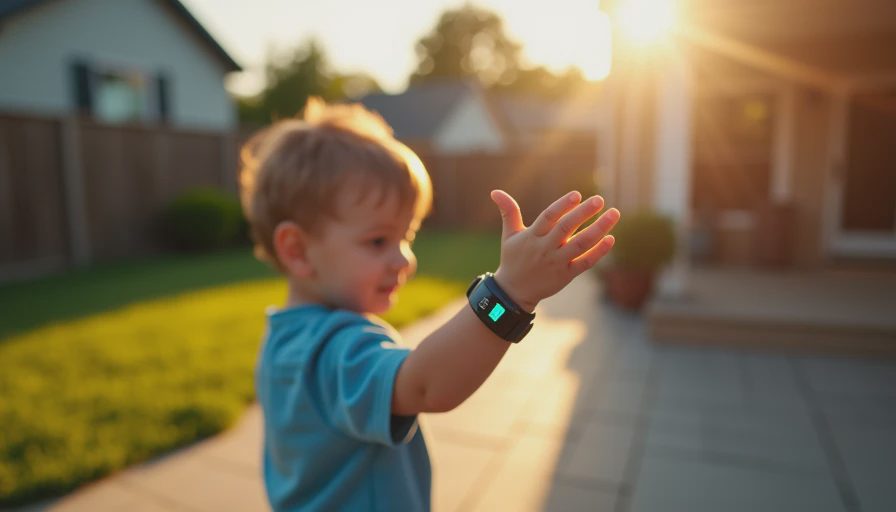
A kids smart watch can be a useful middle ground between total independence and handing a child a smartphone. It can support calling, location sharing, reminders, and a little confidence for both sides. It can also become an expensive distraction with a short battery life and a monthly cellular bill. After testing wearables for years, I look at a kids smart watch the same way I look at an adult tracker: does it change daily behavior for the better, or does it simply add more numbers and notifications?
For most families, the best choice is not the watch with the longest feature list. It is the model a child will wear, understand, and remember to charge. Start with the family problem you are trying to solve. Is your child walking home from school? Do you need a simple way to reach them during an activity? Are you trying to delay a smartphone? Those answers matter more than a bright screen or a long list of games.
What a kids smart watch should do well
The core job is communication. Look for reliable two-way calling, approved contacts, voice messages, and a straightforward emergency button. Parent-controlled contacts are important because a young child should not be able to accept calls from unknown numbers. Some watches use a companion app that lets adults manage contacts, school mode, location settings, and alerts from a phone.
Location sharing can be helpful, but it is not magic. GPS works best outdoors, while indoor accuracy can vary because the watch may rely on Wi-Fi or cellular signals. A location pin is a tool for coordination, not proof of exactly where a child is standing. I would rather have a watch that updates dependably during a walk than one that advertises advanced mapping but loses power before dinner.
Battery life deserves the same attention. A small wearable may last one to three days depending on calling, GPS use, screen brightness, and network coverage. If charging happens every night, make the routine simple: place the watch beside the toothbrush or on a charger near the breakfast table. A dead safety device is just a colorful bracelet.
Which features are useful, and which are noise?
A kids smart watch often includes step counts, movement goals, alarms, timers, and basic activity tracking. Those features can help a child remember soccer practice or see how long a hike lasted. They should not turn exercise into a competition over calories or daily numbers. Children grow at different rates, and a watch cannot measure the full value of play, rest, or time outside.
Sleep tracking is another area where families should stay calm. Wrist-based sleep estimates can be interesting over several nights, but they are not a diagnosis and should not be treated as one. A single low sleep score does not explain why a child woke up, and it does not replace observing mood, energy, bedtime habits, or illness. Trust the trend, not the reading. In many homes, a basic bedtime reminder is more useful than a detailed sleep graph.
Games can be fine in moderation, particularly during a long car ride, but they are not a reason to pay more. A school mode that silences alerts during class is usually more valuable. So are reminders for medication only when a parent or clinician has established the routine; the watch should not be treated as a medical safety system.
Cellular service, subscriptions, and real cost
The purchase price is only one part of a kids smart watch budget. Many connected models require a cellular plan, commonly costing about $5 to $20 per month depending on the carrier, taxes, and included features. Over two years, that can add roughly $120 to $480 before the watch itself. A low-priced watch with a required premium plan can cost more than a simpler model using an existing family arrangement.
Before buying, confirm whether the watch works with your carrier and whether it needs a special SIM or eSIM. Some products are locked to one network. Ask how location updates, voice messages, and emergency calls are handled when the watch has weak service. Also check whether the subscription renews automatically and whether unused service can be paused during vacations.
A kids smart watch priced around $50 to $100 may cover basic calling and location sharing, while models from brands such as Garmin or Apple can cost substantially more and offer broader ecosystems. More expensive does not automatically mean more appropriate. A durable case, clear controls, and predictable service are usually better value than a premium display.
Privacy and family controls deserve a close look
Treat the companion app as seriously as the hardware. Read what information is collected, where location history is stored, and which adults can access the account. Use a strong, unique password and enable two-factor authentication when offered. Do not publish a child’s live location on social media, and avoid giving every app permission simply because the setup screen requests it.
A good kids smart watch should let parents limit contacts, disable games, set quiet hours, and remove location history when appropriate. It should also make those controls understandable. If turning off a feature requires digging through five menus, you are less likely to manage it consistently.
Talk with your child before handing over the device. Explain when location is used, who can call, what the emergency button does, and why school mode exists. A watch should support trust, not create a system of constant surveillance. Set a clear rule for when adults will check the app, such as before a walk home or after an activity, rather than checking every few minutes.
How to choose the right model
First, write down the minimum job: calls, location, reminders, or a combination. Second, identify the child’s environment. A child who spends time in a large outdoor program may benefit more from location updates and a rugged case than from games. A younger child may need large icons and only a few approved contacts. Third, calculate the full two-year price, including service, replacement bands, screen protection, and possible replacement if the watch is lost.
Then test the daily routine before committing. Can the child fasten it independently? Can they find the call button without help? Is the charger easy to connect? Does school mode match the school’s rules? If possible, buy from a retailer with a clear return policy and keep the packaging until you have tested service in the places the child actually visits.
The right kids smart watch should quietly solve a real family problem. It should not demand constant attention from the child or parent. If your main need is occasional communication, a simple cellular watch may be enough. If you want fitness data, remember that children do not need an adult training dashboard to benefit from outdoor play.
Final buying advice
My practical pick is the least complicated kids smart watch that has dependable calling, sensible parent controls, a battery that fits your schedule, and a service price you will accept for two years. Skip features that sound impressive but will not be used. Ask the child to help choose the color or band, then make the boundaries clear before the first call.
Wearables work best when they support a habit already worth having. In this case, that might be checking in after school, arriving at practice on time, or giving a child a carefully limited step toward independence. A kids smart watch is not a substitute for conversation or judgment, but the right one can make those everyday transitions easier.

No letters yet — pray write the first.