A smartwatch buying guide should do more than list processor speeds and screen brightness. It should help you decide whether a watch will change your habits, fit your phone, and remain comfortable after the novelty fades. I have worn more than 30 watches and trackers over eight years, often for several weeks at a time. My basic rule is simple: buy the tool that supports your routine, not the one with the longest feature list.
The best choice depends on how you spend your days. A runner may need dependable GPS and physical buttons. Someone trying to sleep better may care more about comfort and battery life. A busy parent may want reliable notifications and contactless payments. Start there, before comparing brands.
Decide What You Want the Watch to Do
The first step in any smartwatch buying guide is separating essential features from interesting distractions. Write down the two or three actions you expect to perform every day. Those might include tracking walks, recording runs, checking calls, setting timers, monitoring sleep, or receiving medication reminders.
If your main goal is general activity, a basic Fitbit, Garmin vívoactive, or Apple Watch SE can handle step counts, workouts, heart rate, and phone notifications. You do not need a $700 adventure watch to walk 30 minutes after dinner. If you train for races, Garmin Forerunner models offer deeper workout planning and longer battery life. Apple Watch is especially convenient for iPhone owners who want apps, messaging, and safety features in one place.
Samsung Galaxy Watch models make the most sense for many Android users, particularly people already using a Samsung phone. Compatibility matters more than a small difference in sensor hardware. A brilliant watch that cannot work properly with your phone is an expensive bracelet.

Check Phone Compatibility and Battery Life
Phone compatibility should come before color, case material, or downloadable watch faces. Apple Watch is designed for the iPhone and is not a practical choice for Android users. Galaxy Watch features are strongest inside the Android and Samsung ecosystem. Garmin and Fitbit watches generally work across iPhone and Android, although some phone-specific functions differ.
Battery life changes how consistently you collect data. A watch that needs daily charging can lose overnight measurements or become annoying during travel. Apple Watch typically favors a daily charging routine, while many Garmin models run for several days or weeks depending on the model and GPS use. Fitbit devices often sit somewhere in between.
Ask yourself when you can charge. I charge a short-battery watch while showering and eating breakfast, but that routine will not work for everyone. If sleep tracking is a priority, choose a watch that can run through the night and recharge quickly. A watch left in a drawer cannot improve your sleep, regardless of its sensor package.
Treat Health Metrics as Clues, Not Diagnoses
A smartwatch can estimate heart rate, resting heart rate, blood oxygen, sleep stages, stress, and workout load. These measurements can be useful for spotting patterns, but they are not a replacement for clinical testing or medical advice. The sensor is sampling your body through skin, movement, fit, and software assumptions.
In my smartwatch buying guide, heart rate during steady exercise gets more weight than a single sleep-stage score. If your easy run usually shows a steady heart rate and suddenly feels harder at the same pace, that combination deserves attention. One unusual overnight reading does not automatically mean something is wrong.
The same principle applies to calories. Wearables estimate energy use using motion, heart rate, body information, and algorithms. That number can be useful for comparing your own activity from week to week, but it is not precise enough to dictate every meal. Trust the trend, not the reading.
Some watches include electrocardiogram features or irregular-rhythm notifications. Those tools can provide helpful information for eligible users, but they do not diagnose every heart problem. If you have symptoms such as chest pressure, fainting, or unusual shortness of breath, use medical care rather than waiting for a watch notification.
Choose the Right Watch for Exercise
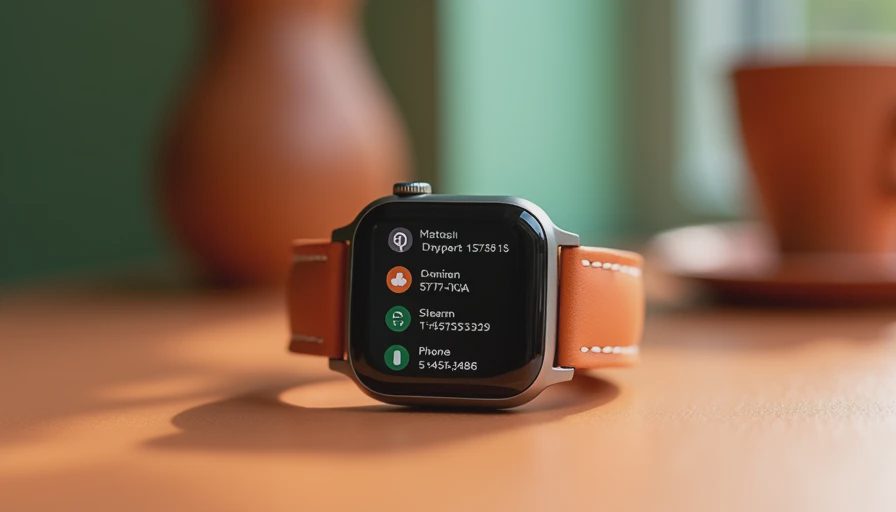
For walking, gym sessions, and occasional jogging, comfort and simple workout controls matter more than advanced running analytics. A lightweight watch with a readable screen may be better than a bulky model with maps, altitude data, and training readiness scores you never open.
Regular runners should compare GPS accuracy, route display, interval workouts, lap controls, and battery life with GPS enabled. Garmin is often strong for structured training and physical buttons, which are useful in rain or when wearing gloves. Apple Watch offers a smooth everyday experience and a large app ecosystem. Coros is worth considering for runners who prioritize long battery life and straightforward training tools.
Cyclists and hikers should look at navigation, elevation recording, water resistance, and whether the watch can connect to external sensors. Swimmers need a model rated for pool use, but water resistance is not the same as unlimited protection from diving, hot tubs, or saltwater exposure. Read the manufacturer’s use guidance before treating a device like a dive computer.
Set a Realistic Budget
A sensible smartwatch buying guide should include the cost beyond the watch. The purchase may involve a replacement band, screen protector, premium app subscription, cellular service, or paid training platform. A $250 watch that needs no subscription can be cheaper over two years than a $400 model with a monthly service you barely use.
For many buyers, the useful range is roughly $150 to $400. Below that, you can find capable trackers and basic watches, but screen quality, GPS, or software support may be limited. Above $400, you are usually paying for materials, advanced navigation, cellular connectivity, specialized sports functions, or a larger ecosystem rather than dramatically better step counting.
Look at last year’s model, too. Apple, Garmin, Fitbit, and Samsung often leave older models available after a new release. A discounted previous-generation watch may provide the features you need while saving $80 to $200.
A Simple Buying Checklist
Use this final smartwatch buying guide checklist before ordering. Confirm that the watch works with your phone. Check battery life with the features you will actually use, not just the manufacturer’s light-use estimate. Wear a similar-sized device if possible, because a case that feels fine for five minutes may bother you overnight.
Then verify GPS needs, water resistance, band replacement cost, warranty terms, and subscription requirements. Ask whether you need cellular service or whether your phone will usually be nearby. Review how the watch exports data if you change platforms later. Locked-in data is an inconvenience when a battery fails or your priorities change.
My final test is practical: can you name the behavior this watch will support? That might be three weekly runs, a daily walk, earlier bedtimes, or fewer unnecessary phone checks. If the answer is only “I like the technology,” wait a week before buying. The best smartwatch is not necessarily the newest or most expensive. It is the one you will wear long enough for the information to become useful.


No letters yet — pray write the first.