The Apple Watch Series 3 as fitness tracker is still tempting because used models are inexpensive and the basic activity features remain familiar. I spent several weeks treating one like a training watch, not a museum piece, and the answer is fairly simple: it can track everyday movement and occasional workouts, but its age shows quickly. If you already own one, it can still support sensible habits. If you are shopping today, the low price needs to compensate for limited software support, aging battery hardware, and missing health features.
What the Series 3 can actually track
The Series 3 records steps, standing hours, active calories, distance, flights climbed, and exercise minutes through the Activity app. Its optical heart-rate sensor can measure pulse during the day and during workouts. It also includes built-in GPS, which is useful for a walk or run without carrying an iPhone. The watch can recognize several workout types, including outdoor walking, running, cycling, swimming, and general training.
That is a solid foundation. For a beginner trying to walk 30 minutes most days, the Apple Watch Series 3 as fitness tracker provides enough feedback to make the routine visible. Closing the three Activity rings gives a quick visual reminder, although ring completion should not become a daily moral score. A hard workout, a recovery day, and a long shift on your feet can all be healthy days for different reasons.
The watch is also water resistant for swimming under appropriate conditions, but an older unit deserves caution. Seals age, screens get repaired, and previous owners may have dropped the watch. I would use a secondhand Series 3 for pool workouts only after inspecting it carefully and accepting that water damage is unlikely to be covered.
Running accuracy and heart-rate usefulness
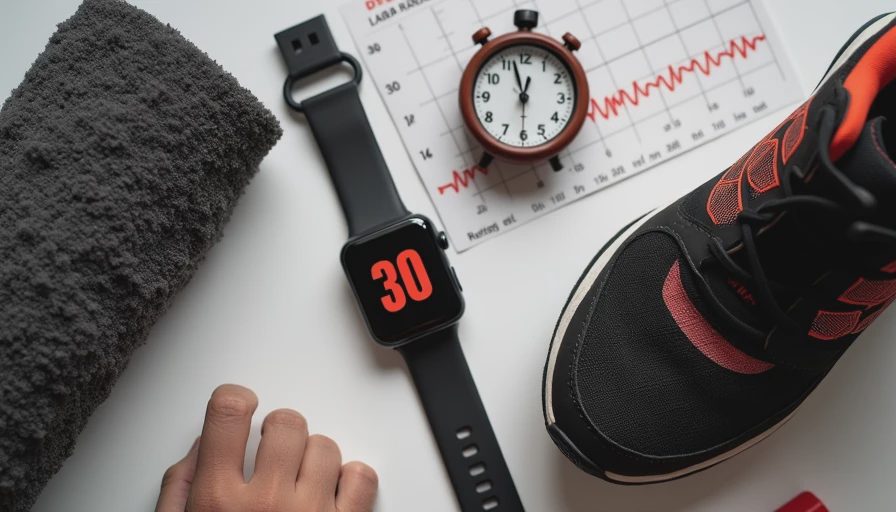
For easy outdoor runs, the Apple Watch Series 3 as fitness tracker is generally capable of recording elapsed time, route, pace, distance, and heart rate. GPS performance is acceptable in open areas, though tall buildings, dense tree cover, and a slow satellite lock can produce strange pace spikes. I would not use a single kilometer split to judge fitness. Compare several runs on similar routes and look for a trend.
Wrist heart rate is most useful when the effort is steady. During a relaxed jog, the reading can help you stay near an intended easy effort. During intervals, strength training, or cold-weather running, the sensor can lag or briefly display an implausible number. A loose band, sweat, arm movement, and skin contact all affect the signal. If heart-rate training is central to your plan, a compatible chest strap is a better investment than obsessing over every wrist reading.
The Series 3 does not provide the richer training load, recovery, or performance analytics found on newer Garmin, Apple, or COROS watches. That is not automatically a problem. Most recreational runners need consistent easy mileage, a little faster work, and enough sleep more than they need six new readiness scores.
Sleep, calories, and the numbers that matter
Sleep tracking is the weakest part of using an Apple Watch Series 3 as fitness tracker. The hardware can be worn overnight, but Apple’s modern native sleep experience is tied to newer software and models. Third-party apps may offer estimates, yet the experience can be awkward, battery-intensive, or inconsistent. If sleep is your main goal, a newer Apple Watch, Fitbit, or ring will be easier to live with.
Calories deserve even more caution. The watch estimates active energy from movement and heart rate; it does not directly measure how much energy your body used. Those estimates can be useful for comparing your own similar workouts, but they are not precise food-budget numbers. A displayed 500 calories is not permission to eat exactly 500 extra calories, and a low number does not mean a workout was worthless.
I pay more attention to resting heart-rate patterns, workout consistency, and how a person feels on ordinary days. A one-day spike after poor sleep, alcohol, stress, or illness is a clue, not a diagnosis. Trust the trend, not the reading.
The biggest problem is age, not exercise tracking
The Series 3 launched in 2017, and its age affects nearly every ownership decision. It supports older watchOS software, has limited storage compared with newer models, and can be frustrating when apps or updates demand more space. Pairing requirements also matter: an older watch may not work smoothly with a newer iPhone running the latest software. Before buying, confirm compatibility with the exact iPhone and operating system you use.
Battery condition is just as important. A healthy used unit might handle a day of ordinary activity, but GPS workouts, notifications, and overnight wear can push an aging battery hard. A replacement battery can cost enough to erase the bargain, especially if the watch also needs a new band or screen. Avoid listings that hide battery health, activation lock status, or the model number.
A refurbished Series 3 from a reputable seller is safer than a random marketplace listing, but I would still compare the total price with a used Apple Watch SE or Series 6. Newer models bring better speed, longer software life, and more practical sleep support.
Who should buy one and who should skip it
The Apple Watch Series 3 as fitness tracker makes sense for someone who already owns it and wants basic walking, running, and activity records. It can also suit a child or casual user when the purchase price is very low and expectations are modest. It is not a bad introduction to workout tracking if notifications, advanced health sensors, and long battery life are unimportant.
I would skip it for a serious runner, anyone prioritizing sleep, or anyone expecting years of reliable updates. I would also skip it if the price is close to a used SE. The newer watch will usually feel faster, pair more easily, and provide a better long-term experience even if its headline fitness metrics look similar.
Think of the Series 3 as a basic stopwatch with a heart-rate sensor and GPS, not as a current health platform. That framing prevents disappointment.
How to get useful data from an older watch
Start by setting a realistic daily movement goal rather than chasing a perfect ring streak. Calibrate outdoor walking or running on a clear route, wear the watch snugly above the wrist bone, and begin each workout after GPS has had time to settle. Record how you felt alongside distance, pace, and heart rate. That simple note often explains more than a graph.
Charge it before long workouts, remove unnecessary notifications, and check battery health before relying on it for a full day. Review weekly patterns instead of reacting to individual readings. If the watch repeatedly reports an unexpectedly high heart rate and you feel unwell, stop exercising and seek appropriate medical advice rather than troubleshooting the sensor indefinitely.
For many people, the best Apple Watch Series 3 as fitness tracker strategy is to use it as a behavior tool. Let it remind you to move, show whether easy runs are becoming easier, and make regular activity visible. Then replace it when the battery, compatibility, or missing features begin interfering with those goals. The watch does not need to be impressive; it needs to help you do the next sensible workout.




No letters yet — pray write the first.