The first time you see heart rate zones on a Garmin, Apple Watch, Polar, or Fitbit, they look more precise than they really are. Heart rate zones are simply intensity ranges that help describe how hard your cardiovascular system is working. They can guide an easy run, a steady bike ride, or a hard interval session, but they are not a medical diagnosis and they are not a score you need to chase every day.
I learned that distinction during eleven years in cardiac rehab and eight years of wearing nearly every kind of fitness tracker. A watch can estimate your pulse impressively well during a steady run. It can also lose the plot when your wrist is loose, your hands are cold, or you are doing kettlebell swings. Trust the trend, not the reading.
The five heart rate zones in plain English
Most apps divide effort into five heart rate zones. The exact boundaries differ, but the general pattern is useful.
Zone 1 is very easy, usually around 50 to 60 percent of estimated maximum heart rate. You can speak in full sentences. This is a warmup, cooldown, recovery walk, or gentle movement on a tired day. It may feel too easy to count as exercise, but it helps you build consistency without adding much stress.
Zone 2 is easy to moderate, often around 60 to 70 percent of maximum. Conversation remains comfortable, though you are breathing more deliberately. For runners, this is the pace used for many aerobic miles. Zone 2 training can support endurance, but the number on the watch should not override obvious signs of fatigue, heat, hills, or poor sleep.
Zone 3 is moderate, commonly about 70 to 80 percent. You can talk, but you will probably use shorter sentences. This is a useful steady effort, although many recreational athletes accidentally spend nearly every workout here: too hard for recovery and too easy to be a focused speed session.
Zone 4 is hard, often 80 to 90 percent. Breathing is heavy and conversation becomes difficult. Tempo efforts, sustained climbs, and demanding race sections can land here. Zone 5 is very hard, generally above 90 percent, and is reserved for short intervals or a final push. You cannot hold it for long.

Why the default numbers can be wrong
The familiar formula of 220 minus your age is a rough population estimate, not a personal measurement. Two 45-year-old runners can have very different maximum heart rates, resting pulses, fitness levels, and responses to heat. If an app uses the formula automatically, its zones can be off enough to make an easy run look hard or a hard workout look moderate.
Maximum heart rate is not the only issue. Some systems base zones on heart rate reserve, which uses both maximum and resting heart rate. Others use lactate threshold, a hard-effort marker that can be more useful for experienced runners. Garmin, Apple, Coros, Polar, and Fitbit do not always present these settings in the same way, so compare the actual method before comparing numbers between devices.
A better starting point is your own repeated experience. Notice the heart rate associated with comfortable conversation, controlled steady running, and a sustained hard effort. A formal exercise test can provide more reliable data, but most people do not need to pay for one before learning to train sensibly. Use a chest strap for serious interval work because it usually responds faster than an optical wrist sensor.
How to use heart rate zones during real workouts
Start with the purpose of the session, then use heart rate zones as a guardrail. On an easy day, stay in Zone 1 or low Zone 2 and let the pace slow on hills. If your normal easy pace suddenly produces a much higher pulse, consider heat, dehydration, illness, stress, or accumulated fatigue rather than forcing the pace.
For a tempo workout, warm up for 10 to 15 minutes, then run two or three controlled efforts of eight to 12 minutes. Your heart rate should rise gradually, not jump instantly to the top of Zone 4. Finish with easy jogging. For intervals, heart rate is often a poor real-time target because it lags behind the effort. Use pace, power, or perceived exertion for the short repetition, then use the watch to review the session afterward.
Cyclists can use the same logic, but hills and coasting create larger swings. Lifters should be especially cautious about treating heart rate as a complete measure of workout difficulty. A heavy deadlift can feel demanding even when average pulse is modest. The number describes cardiovascular strain, not every kind of muscular or nervous-system stress.
Making your smartwatch more useful
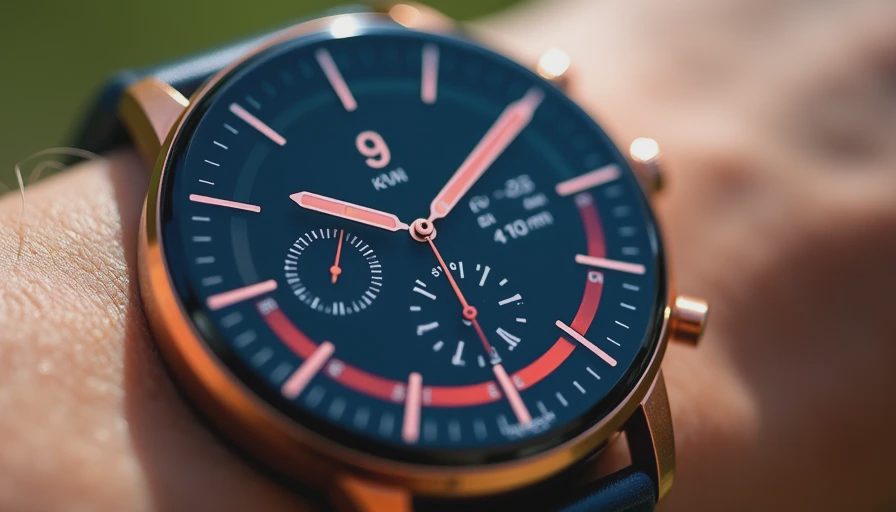
Before trusting the display, check the settings. Enter your age, resting heart rate, and maximum heart rate if you have a credible value. Some watches let you set zones separately for running and cycling. That can make sense because your sustainable heart rate may differ by activity. Also confirm whether the device displays current heart rate, average heart rate, or time spent in a zone; these are different measurements.
Wear an optical watch sensor snugly, about one finger above the wrist bone. It should not slide during arm movement, but it should not leave a deep mark. In cold weather, warm up before judging the first few readings. A chest strap is worth considering if you train by intervals, have tattoos or heavy wrist hair over the sensor area, or regularly see implausible spikes.
Do not rebuild your entire training plan around one strange reading. If a watch reports 185 beats per minute while you are calmly walking and the number drops after you adjust the band, the likely problem is measurement, not sudden danger. If you have symptoms such as chest pain, fainting, unusual shortness of breath, or sustained palpitations, stop exercising and seek appropriate medical care rather than troubleshooting an app.
A simple weekly approach
For a busy recreational runner, one practical week might include two easy sessions in Zone 1 or Zone 2, one workout with controlled Zone 3 or Zone 4 efforts, and one longer easy session. The rest can be walking, strength training, or rest. That structure is more useful than trying to spend a fixed percentage of every workout in a perfect zone.
Keep notes beside the data. Record sleep, temperature, caffeine, stress, and how the effort felt. After several weeks, patterns become more meaningful: perhaps your easy heart rate rises after poor sleep, or your usual pace improves at the same pulse. That is the signal worth keeping. Heart rate zones are most valuable when they help you make a better decision before, during, and after training.
Common questions about heart rate zones
Can I lose weight by staying in one specific zone? No single zone guarantees fat loss. Total activity, nutrition, recovery, and consistency matter more than a colored ring on an app. An easy zone can be excellent because you can repeat it often, not because it has magical properties.
Should every workout reach Zone 4 or Zone 5? No. Hard training has a place, but stacking intense sessions can leave you injured or chronically tired. Most everyday athletes benefit from making easy work genuinely easy and adding intensity deliberately.
Are heart rate zones useful for walking? Absolutely. A brisk walk can raise cardiovascular demand without the impact of running. Use the talk test alongside the watch, especially if hills or heat make the reading drift.
The best wearable is not necessarily the most expensive one. A basic Garmin Forerunner, Apple Watch, Polar monitor, or reliable chest strap can provide enough information for most people. Set sensible zones, learn how effort feels, and review trends instead of worshiping precision. Your wrist is a helpful witness, not the final authority.
No letters yet — pray write the first.