If you want to know how to set heart rate zones, start with the physiology rather than the colorful bars on your watch. A zone is simply a range of heartbeats that reflects how hard your cardiovascular system is working. Easy zones support recovery and aerobic fitness; harder zones challenge your ability to sustain or repeat intense efforts. The numbers are useful, but they are estimates until you anchor them to your own experience.
I learned that lesson repeatedly in cardiac rehab and later while coaching runners. Two people the same age can have noticeably different maximum heart rates, resting heart rates, and lactate thresholds. A smartwatch can display a precise-looking number while still using a generic formula. Trust the trend, not the reading.
The five-zone model in plain English
Most Garmin, Apple Watch, Polar, COROS, and Fitbit devices use five training zones. The exact percentages differ slightly by platform, but the practical purpose is similar.
Zone 1 is very easy. You can speak in complete sentences, and the effort feels like a warm-up, cool-down, or recovery walk. Zone 2 is easy aerobic work. Conversation remains comfortable, although you are breathing more deliberately. Long runs, steady cycling, and many base-building sessions live here.
Zone 3 is moderate. You can talk, but you will probably use shorter sentences. This is often called the gray zone because it can feel productive without being easy enough for recovery or hard enough to create a clear high-intensity stimulus. Zone 4 is hard, close to a pace you can sustain for a limited period. Zone 5 is very hard and usually reserved for short intervals.
These labels are not medical categories, and you do not need to force every workout into one perfect box. They are a communication tool between your body, your training plan, and your wearable.
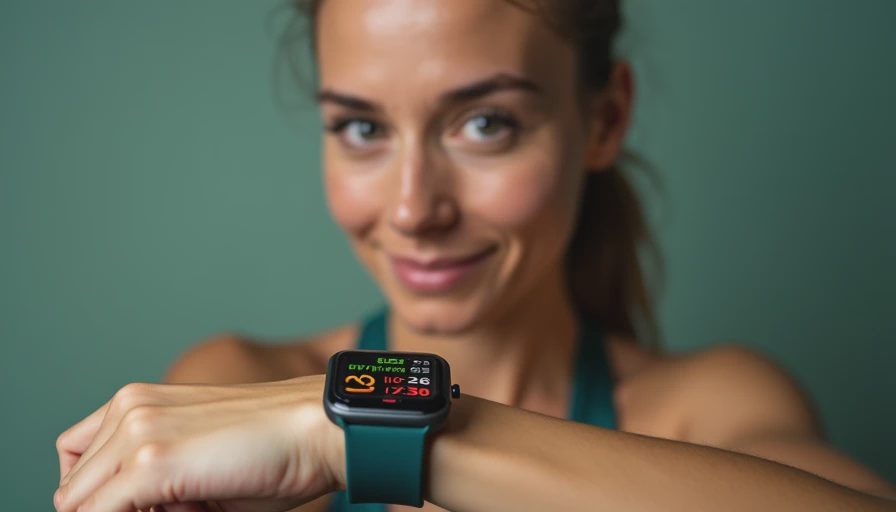
How to set heart rate zones with your maximum heart rate
The simplest approach uses maximum heart rate. You can use a measured maximum from a genuinely hard, safe effort, or begin with an estimate such as 220 minus your age. The familiar formula is convenient, but it can be wrong by enough to shift every zone. For a 40-year-old, the estimate gives 180 beats per minute, but that does not prove the runner’s actual maximum is 180.
If you are healthy, experienced, and accustomed to intense exercise, a hard hill or structured interval workout can provide a better practical estimate. Do not perform a maximal test casually if you have heart symptoms, a known cardiovascular condition, or concerns about vigorous exercise. Ask a qualified clinician first. Chest pressure, fainting, unusual shortness of breath, or a sudden irregular heartbeat deserves medical attention, not a new watch setting.
As an example, a watch using five zones based on a 180 maximum might place easy aerobic work around 108 to 126 beats per minute, with harder zones beginning above that range. The exact boundaries depend on the device. The important step is entering the number in the correct profile: running zones should not automatically be copied into cycling, where heart rate is often different.
A better option: heart rate reserve
Heart rate reserve accounts for both your maximum heart rate and your resting heart rate. The calculation is straightforward: maximum heart rate minus resting heart rate equals heart rate reserve. To find a training target, multiply the reserve by the desired intensity and add resting heart rate back in.
Suppose your estimated maximum is 180 and your resting heart rate is 60. Your reserve is 120. At 60 percent intensity, the calculation is 120 multiplied by 0.60, then plus 60, producing 132 beats per minute. That is different from simply taking 60 percent of 180, which produces 108.
This method can better reflect differences between people, especially when resting heart rates vary. Measure your resting value under consistent conditions, ideally after several quiet mornings rather than after poor sleep, illness, alcohol, or a stressful day. If your watch reports a resting heart rate from overnight data, review several days instead of accepting one unusually low or high value.
When considering how to set heart rate zones, remember that heart rate reserve is still a model. Heat, dehydration, caffeine, hills, fatigue, and medication can move your heart rate without changing your intended effort.

Threshold zones can be more useful for runners
For regular runners, threshold-based zones often make more sense than age-based percentages. Your lactate threshold is roughly the hardest effort you can sustain for a prolonged period before fatigue accelerates. You do not need to understand every laboratory detail to use the concept. A hard but controlled effort of about 20 to 30 minutes, performed after a careful warm-up, can provide a field estimate when guided appropriately.
Many Garmin and COROS watches estimate lactate threshold from outdoor runs, while Polar uses its own testing and training tools. These estimates can be helpful after several consistent workouts, but wrist sensors are less reliable during rapid changes in effort. A chest strap usually responds faster and gives cleaner data during intervals.
If your threshold heart rate is 165, an easy day should not be built around repeatedly touching 165. That would turn recovery into moderate training. Use threshold as an anchor for tempo work, then verify it against breathing and pace. A sustainable threshold effort usually feels controlled but serious: you can answer briefly, not chat about your weekend.
How to enter zones on your watch
Open the health, activity, or run settings on your device and look for heart rate zones. Choose whether the zones are based on maximum heart rate, heart rate reserve, or threshold heart rate. Confirm that the setting applies to the activity you actually perform. Some platforms let you create separate running, cycling, and general zones.
Next, enter your resting and maximum values if the system requests them. Disable automatic updates temporarily if your watch keeps changing zones based on noisy readings. If you use a chest strap, pair it before starting the workout and wear it snugly against the skin. Optical sensors can struggle with loose bands, cold weather, tattoos, motion, and intervals that change intensity quickly.
Do not chase a zone because the screen tells you to. If an easy run feels unusually hard at your normal heart rate, slow down and consider heat, illness, poor sleep, or accumulated fatigue. If the number looks strange but your breathing and effort feel normal, inspect the sensor before changing your training plan.
A practical weekly example
A balanced recreational runner might use one long, mostly easy session, two or three easy runs, one quality workout, and strength training. The long run may sit mainly in Zones 1 and 2. A tempo workout could include 15 minutes of easy running, three 8-minute efforts near threshold, and easy recovery between them. Short hill repeats may briefly enter Zone 4 or Zone 5, but the recoveries should bring effort down before the next repetition.
This is where how to set heart rate zones becomes useful rather than merely technical. The zones help prevent every run from becoming a race. They also give you a way to notice trends: the same easy route at a lower heart rate, or a steadier heart rate at the same pace, can suggest improving aerobic fitness. Neither change proves anything from one workout, but several weeks of consistent data are worth attention.
Start with a sensible method, compare the result with breathing and perceived effort, and adjust only after repeated evidence. Your wrist is a helpful observer, not the coach. Learn how to set heart rate zones once, then use them to make calmer decisions about training, recovery, and when an easy day should actually be easy.

No letters yet — pray write the first.